
Reports, exports and files
Reports (Pro plan)
Open the Reports tab:
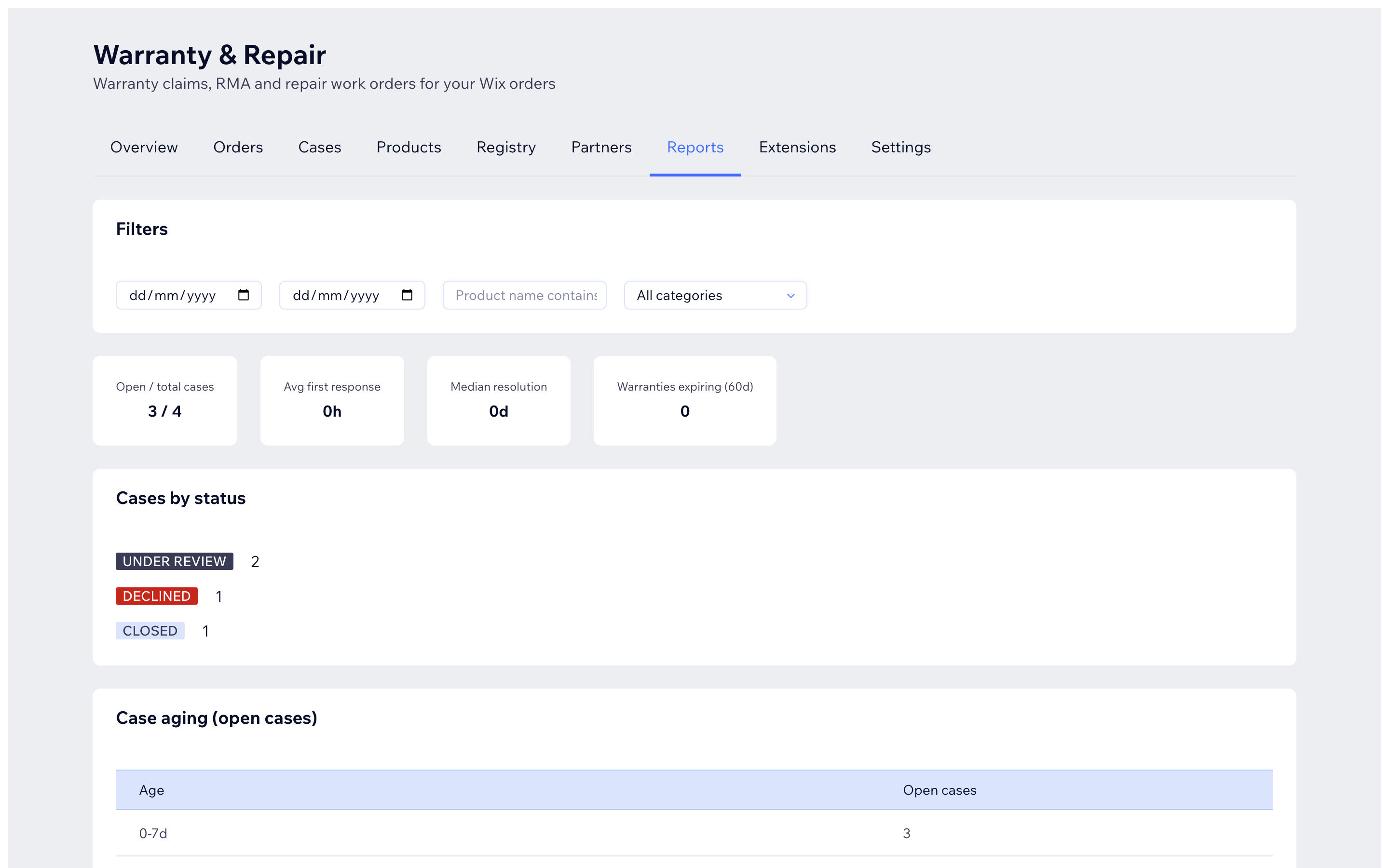
- Filters: date range, product name, category.
- Headline numbers: open/total cases, average first response, median resolution time, warranties expiring in the next 60 days.
- Breakdowns: cases by status, open-case aging, top claim reasons, work orders, service reports and parts used.
Exports (Pro plan)
On the Reports tab, the Exports card has Export cases CSV - a spreadsheet-friendly file of your cases for accounting or your own archive. Export is a manager/owner action.
Evidence files
- Attach photos and documents to a case from the case page (Evidence card) or let customers add them from the portal (JPEG, PNG, WebP, GIF or PDF up to 10 MB each).
- Files are scanned on upload; their status shows next to the name (CLEAN is good to go).
- Set how long files are kept in Settings -> Workspace -> File retention (days, 30-3650).
- Your plan limits how many files each case can hold and the upload size - see Plans and features.