
Extended warranty offers (optional)
The Extensions tab lets you sell optional extra coverage as normal products in your own Wix catalog - for example "2-year extended cover" for 49.00. You stay the seller and the insurer-side obligor; the app keeps the records (who bought what, on which terms) and adds the coverage to the customer's product page.
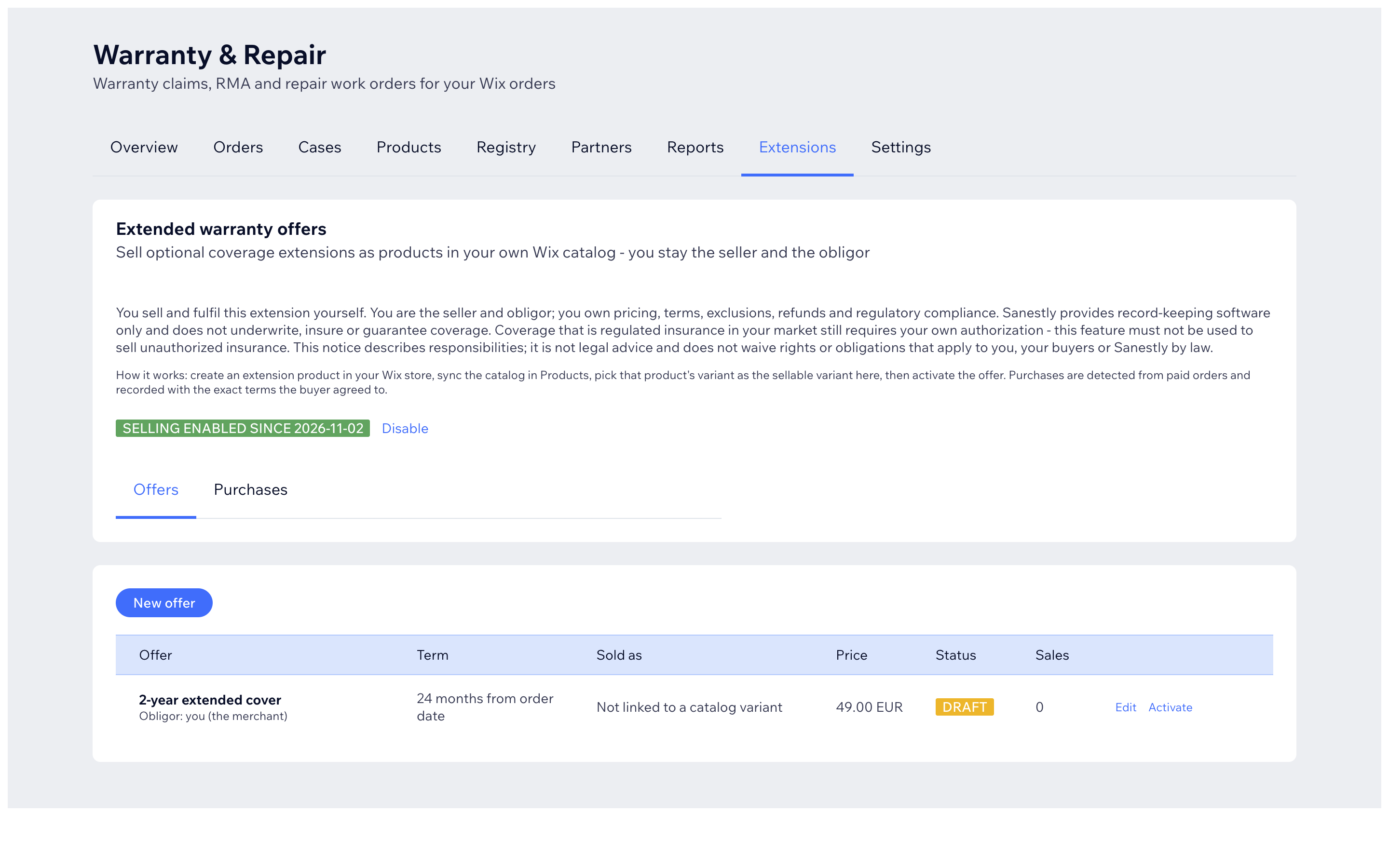
Important - this is off until you enable it
Selling stays disabled until a manager or owner ticks the acknowledgment box and presses Enable selling. The text you accept says, in plain terms: you sell and fulfil the extension yourself, you own pricing/terms/refunds/legal compliance, the app only provides record-keeping software, and cover that counts as regulated insurance in your market must not be sold without your own authorization. If that does not describe your situation, do not enable it - nothing else in the app depends on it.
Create an offer
- First make a product for the extension in your Wix store (e.g. "2-year extended cover"), then press Sync catalog on the Products tab.
- Extensions tab -> New offer:
- Name, term (e.g. 24 months) and start rule (usually from order date).
- Coverage scope - what it applies to (a SKU, product, variant, category, or everything).
- Sellable variant - the Wix variant customers buy (needed to activate).
- Price, currency, what is included/excluded, and the terms text + version shown to the buyer.
- Save as DRAFT while you prepare, switch to ACTIVE when the offer is live, RETIRED when you stop selling it (sold cover stays valid).
What happens on a sale
When a paid order contains the sellable variant of an active offer, the purchase appears under Purchases with the exact terms snapshot the buyer agreed to. From a purchase row you can link it to the customer's registered unit (so coverage shows correctly) or cancel it when the sale is refunded.
Editing terms on an active offer asks you to confirm again - that is deliberate, so changes are always a conscious decision.