
Product registry
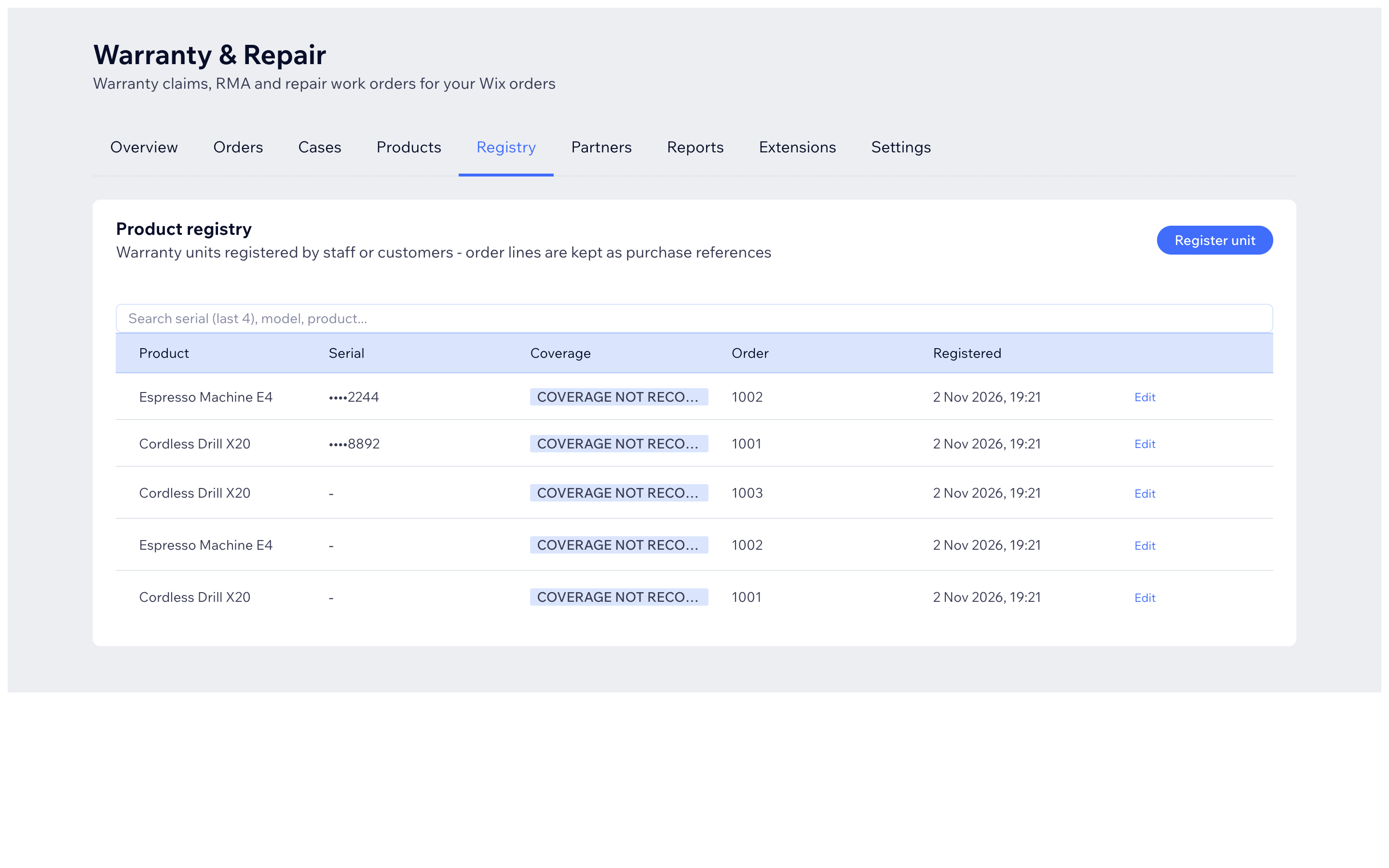
The Registry tab keeps track of physical items ("units") - normally one row per item sold, with its serial number. Serial numbers let you check a unit's warranty instantly, even before the customer says which order it was.
Two ways units get registered
Automatically (optional) - in Settings -> Warranty products -> Automatic registration:
- Turn on Register warranty units automatically (eligible products only).
- Choose Register when: When the order is paid or When the order is fulfilled.
- Press Save warranty settings.
- To catch up on past orders, press Register eligible units from recent orders once.
It is off by default - nothing is registered until you enable it. One unit is created per purchased quantity. Units have no serial until you or the customer provides one - serials are never invented.
Manually - on the Registry tab press Register unit, fill in serial number (required), model and manufacturer, and link the purchase if you know the order.
Day-to-day use
- Search by the last 4 digits of a serial, model or product name.
- Click Edit on a row to add or correct a serial, model, manufacturer, or dates (activation, installation, purchase).
- When a case is created, the app matches the item to its registered unit so the right serial and coverage appear on the case automatically.