
How to notify the right staff about new WooCommerce orders
WooCommerce emails the customer and the admin. Your kitchen, warehouse, or supplier finds out whenever someone remembers to forward it. This guide covers how to route order alerts to the people who actually act on them - and how to avoid the failure modes that make staff stop trusting the alerts.
The problem with forwarding order emails
A forwarded order email carries everything: every line item, the customer's full address, the total. A supplier who supplies one product line of six now reads the other five - and your customer's address, and what they paid.
Forwarding also breaks at scale in quieter ways:
- It depends on a person remembering. Whoever owns forwarding becomes a single point of failure - holidays included.
- It loses the thread. "RE: RE: FW: New order #1042" tells nobody whether this is new information or a duplicate.
- It gives no record. When a supplier claims they never got the order, there is nothing to check.
The fix is routing, not better forwarding discipline: rules that send the right slice of each order to the right inbox automatically.
Who needs what: a routing matrix
Start with the matrix, not the tool. Each recipient needs a different slice of the same order:
| Recipient | What they need | What they should NOT get |
|---|---|---|
| Kitchen / production | Order lines, options, notes, timing | Prices, payment details |
| Warehouse / fulfilment | Lines, quantities, shipping address, method | Payment status internals |
| Supplier / dropshipper | Only their lines + shipping address | Other vendors' lines, customer billing |
| Support lead | Full order + contact info | - |
The right-hand column matters more than the middle one. "What they should NOT get" is the privacy boundary - and the column most setups ignore until a supplier replies asking why they received a competitor's lines. Timing is implicit in the middle column: kitchens need the alert within minutes of payment, while a slow-moving supplier might be fine with a daily batch.
Once the matrix exists on paper, the tooling question answers itself: you need order notifications for multiple recipients where each recipient gets a different filter and a different slice of the order.
Anatomy of an alert rule
Every order-notification setup has the same three parts:
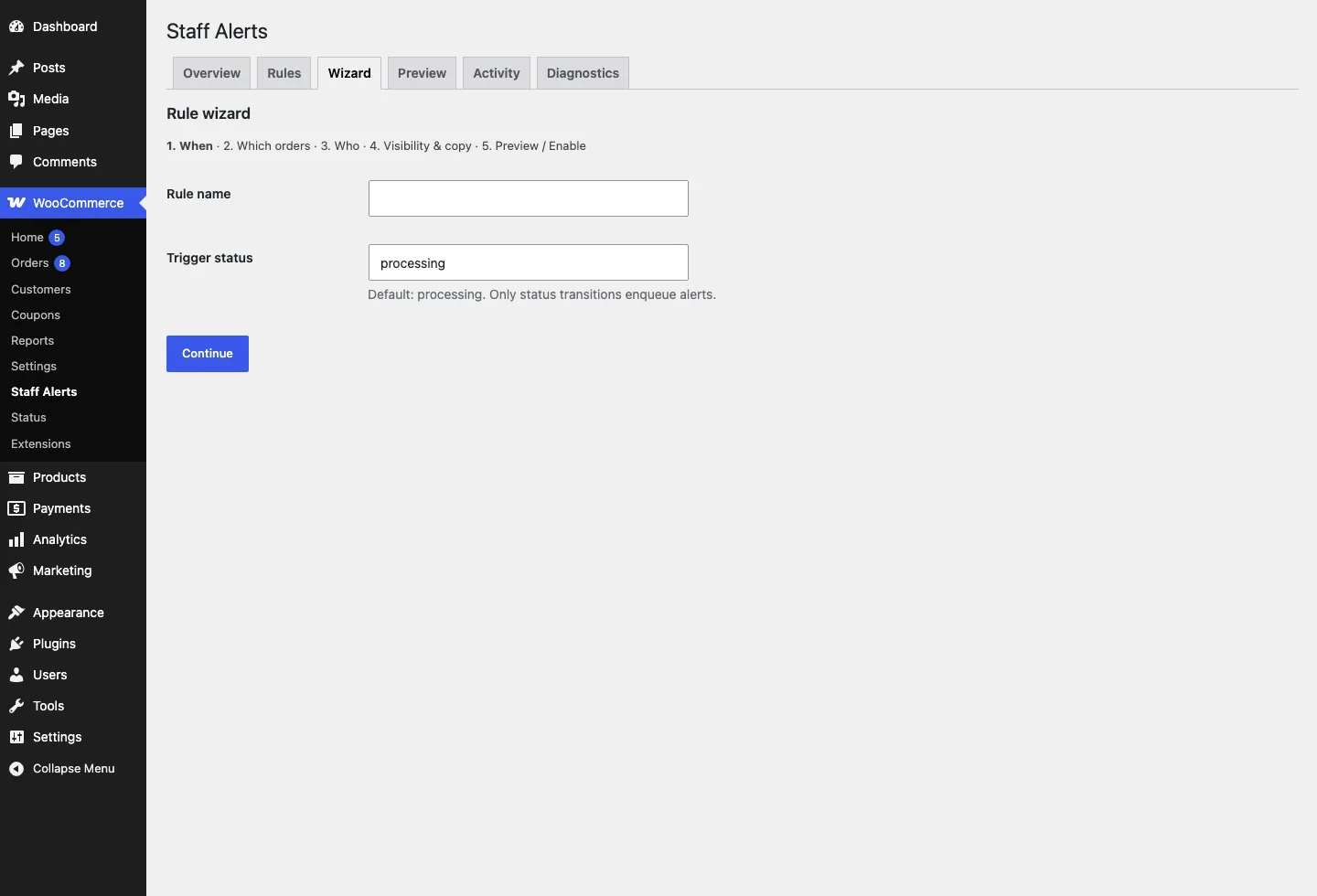
- Trigger - usually a status transition (order enters Processing = paid). Trigger on the paid transition, not on order creation, or you alert on failed checkouts and abandoned carts.
- Filter - which products trigger for this recipient: by product, category, or shipping class.
- Recipient - a WordPress user or a plain email address; several recipients per rule is normal.
Details that separate a working rule from a noisy one:
- Use status transitions, not events. "Order entered Processing" is meaningful; "order was created" is not. If you alert on creation, every failed payment attempt pings the kitchen.
- Filter at the rule level, not the recipient level. If the warehouse should never see digital products, that belongs in the rule's filter - not in a hope that they will ignore them.
- Name rules after people, not mechanics. "Send print items to production" is a rule someone can review in six months. "Rule 3" is not.
- Decide what happens on cancellation. If an order is cancelled after the alert went out, does the recipient hear about it? For kitchens and suppliers, a cancellation notice saves wasted work.
- Test with a real order. Place a live test order against each rule before announcing the system. Filtered categories, partial lines, and the exact recipient addresses all deserve one verification pass - misconfigurations are invisible until the first wrong email lands.
The alert email itself should be a working document, not a copy of the admin notification. Kitchen staff need item names, options, quantities, and the order note - not order IDs in three places and a billing block. If the recipient cannot act on the email without asking a follow-up question, the template needs trimming.
Partial orders and the privacy trap
Here is the scenario that breaks naive setups: a supplier fulfils two of the six lines on an order. You create a rule filtered to their products. The email goes out - containing the whole order. Their two lines, the other vendor's four lines, the customer's billing address, the total.
Now the supplier knows what else the customer bought, from whom, and where they live. At best it is oversharing; depending on where you operate, it can be a genuine data-protection problem.
A partial notification that respects the boundary needs three things:
- Line filtering, not just trigger filtering. The filter decides whether the rule fires; a separate step decides which lines the email contains. Most plugins do the first and quietly skip the second.
- Sanitized fields. Prices and payment details stripped for recipients who do not need them - a picking list does not require the grand total.
- Address minimums. A dropshipper needs the shipping address and nothing else. Billing details and account emails stay internal.
Test this explicitly before trusting it. Place a mixed test order, read exactly what the supplier's email contains, and check it line by line against the matrix. "Probably fine" is how other vendors' price lists end up in the wrong inbox.
Preventing double-sends and proving delivery
Status hooks fire more than once in normal operation. An order that goes Processing → On hold → Processing triggers the paid transition twice. Without protection, the supplier gets the same picking list twice - and the next time a real alert arrives, they assume it is another duplicate and ignore it.
The fix is claiming, not filtering: when a rule fires for an order, the system records that this rule already sent for this order and state. A second firing sees the claim and skips. Re-alerts should be an explicit choice ("notify again on status re-entry"), not an accident of the hook firing twice.
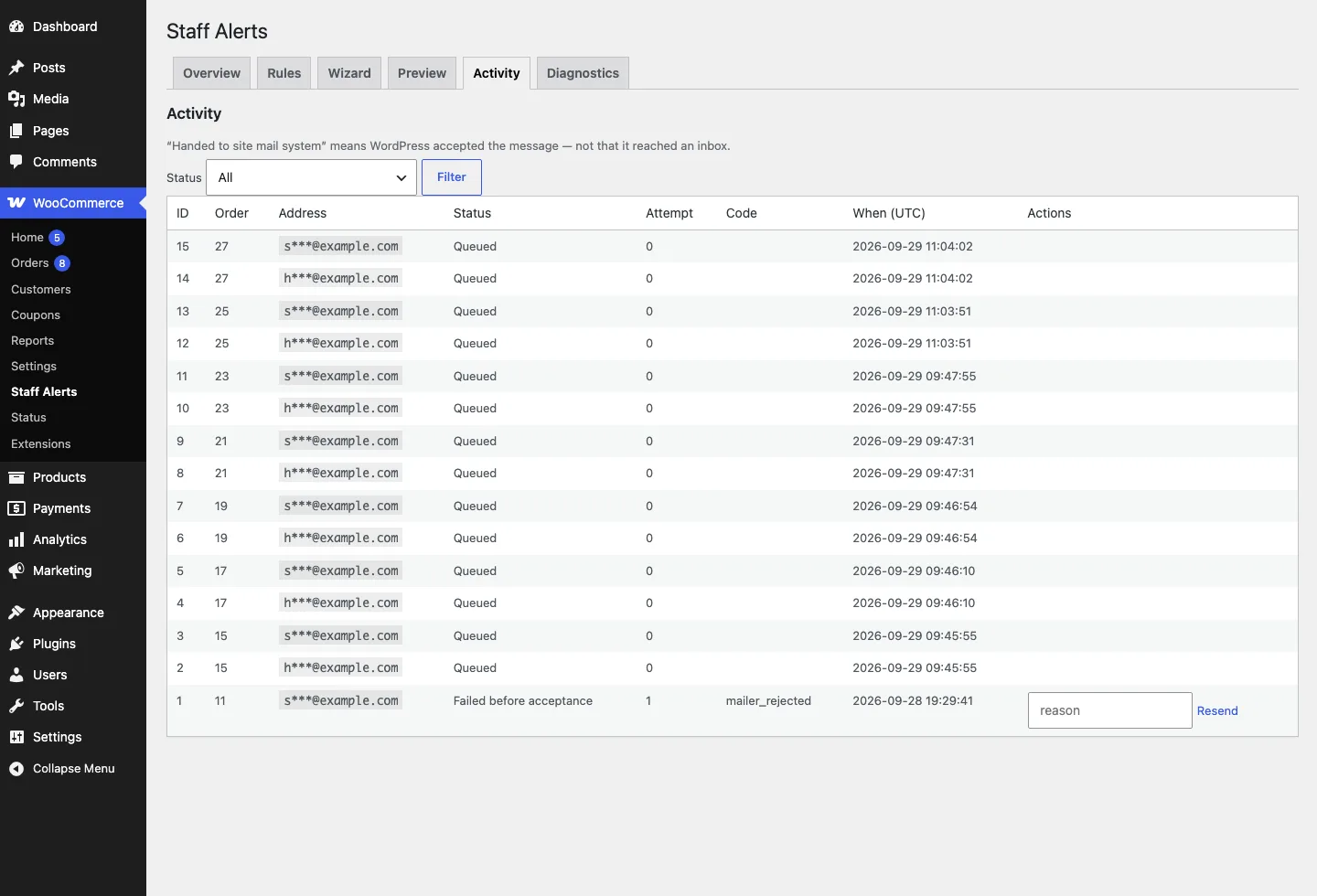
The second trap is honesty about delivery. Email has several outcomes that look identical from the sender's side - handed to the mail server, accepted by the recipient's server, actually read. A journal should at least distinguish:
- Accepted - the rule fired and the mail system took the message.
- Failed - it bounced or the server refused it. Act on this, because the recipient truly has nothing.
- Delivered - a claim you can only make with a real delivery mechanism behind it. A journal that prints "delivered" for every send is fiction, and fiction makes debugging impossible.
When a supplier says "we never got the order", the journal is the difference between a ten-second answer and a guessing game.
Common recipes
Three setups that cover most stores:
- Restaurant or kitchen. Trigger: order enters Processing. Filter: none - the kitchen needs everything. Recipient: the kitchen address. The email strips prices and payment details; it lists items, options, and the order note only. Add a second rule for cancellations so nothing gets cooked for a dead order.
- Dropship per supplier. One rule per supplier, each filtered to that supplier's products or category. Partial-lines email only: their items plus the shipping address. Never the billing address, never other vendors' lines. If a supplier covers a whole category, filter on the category so new products route automatically.
- Print on demand. Trigger: Processing. Filter: the print category or a specific shipping class. Recipient: the production queue. Include order notes and any customization fields - the personalization text is the part that gets lost in forwarding.
Start with one rule, not five. Get the loudest pain point working first - usually the kitchen or the main supplier - then add recipients once the first route proves trustworthy. An alert system staff half-trust is worse than none, because the forwarding habit it replaced has already died.
Our Staff Order Alerts plugin implements exactly this model: rules on status transitions filtered by product/category/shipping class, partial recipients get only their lines, orders are claimed before sending, and every send lands in an honest activity journal.