
What is inside a Playwright trace (and how to read one)
--trace on produces a .zip per test run. Inside it is a complete recording: every action, every network request, every console message, and snapshots of the DOM at each step. The official Trace Viewer renders it - but understanding the parts helps you read diffs and failures faster.
The anatomy of trace.zip
- Actions - every
page.click,fill,goto,waitForwith timings, before/after snapshots, and the element locator used. - Network - all requests with method, URL, status, timing, and resource type - including the failed ones your test never asserted on.
- Console - browser console messages (errors, warnings) correlated to the action that produced them.
- Screenshots/DOM snapshots - per-action rendered states, not just the final frame.
- Sources - the test code itself, aligned to actions.
The questions a trace answers fast
- "Where did it fail?" - the first red action, not the error at the end.
- "Did the app respond?" - network timeline shows whether the click produced a request and what came back.
- "Was the element there?" - the action's snapshot shows what the DOM looked like at that moment, not at failure time.
- "What is different between the flaky pass and fail?" - this one a single trace cannot answer alone; that is when you need two runs.
When one trace is not enough
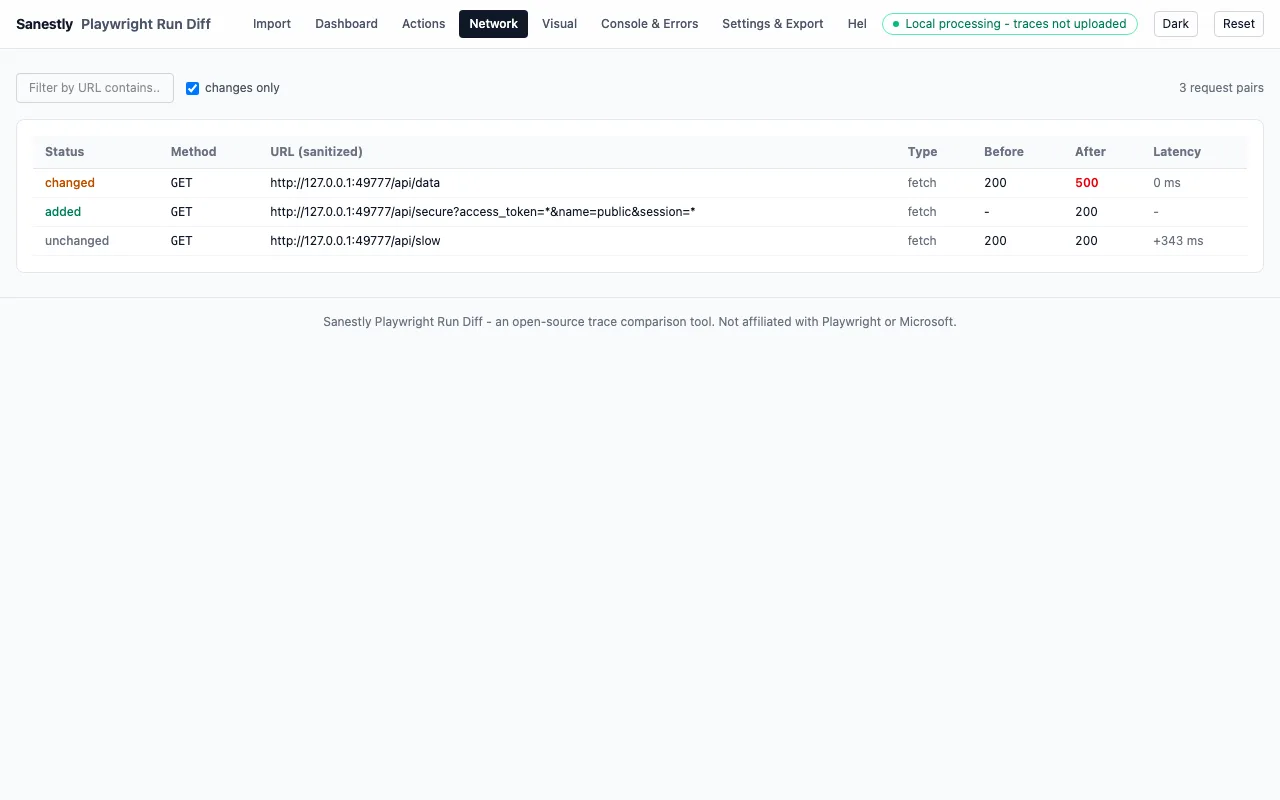
A single trace tells you what happened. A diff of two traces tells you what changed - the first divergence between the passing baseline and the failing run is usually the cause; everything after it is symptom.
That is the case for Run Diff: drop two trace.zips and get the action-by-action difference - timing regressions, new/removed requests, console errors, pixel changes - computed locally in your browser, nothing uploaded. CLI for CI: npx @sanestly/run-diff compare before.zip after.zip.
Practical tips
- Record traces on failure, not only on retry:
--trace on-first-retrycaptures the retry run - for the failing attempt useretain-on-failureoron. - Traces compress well; keeping the last N runs per test on CI is cheap insurance for later diffs.
- A trace is a security object - it may contain tokens and PII in snapshots. Sanitize before sharing outside the team.