
Comparing two Playwright runs to catch regressions
A test passes on Monday and fails on Tuesday. The code barely changed. The question "what is different between these runs" is exactly what a trace diff answers - faster than reading two trace viewers side by side.
What a trace diff compares
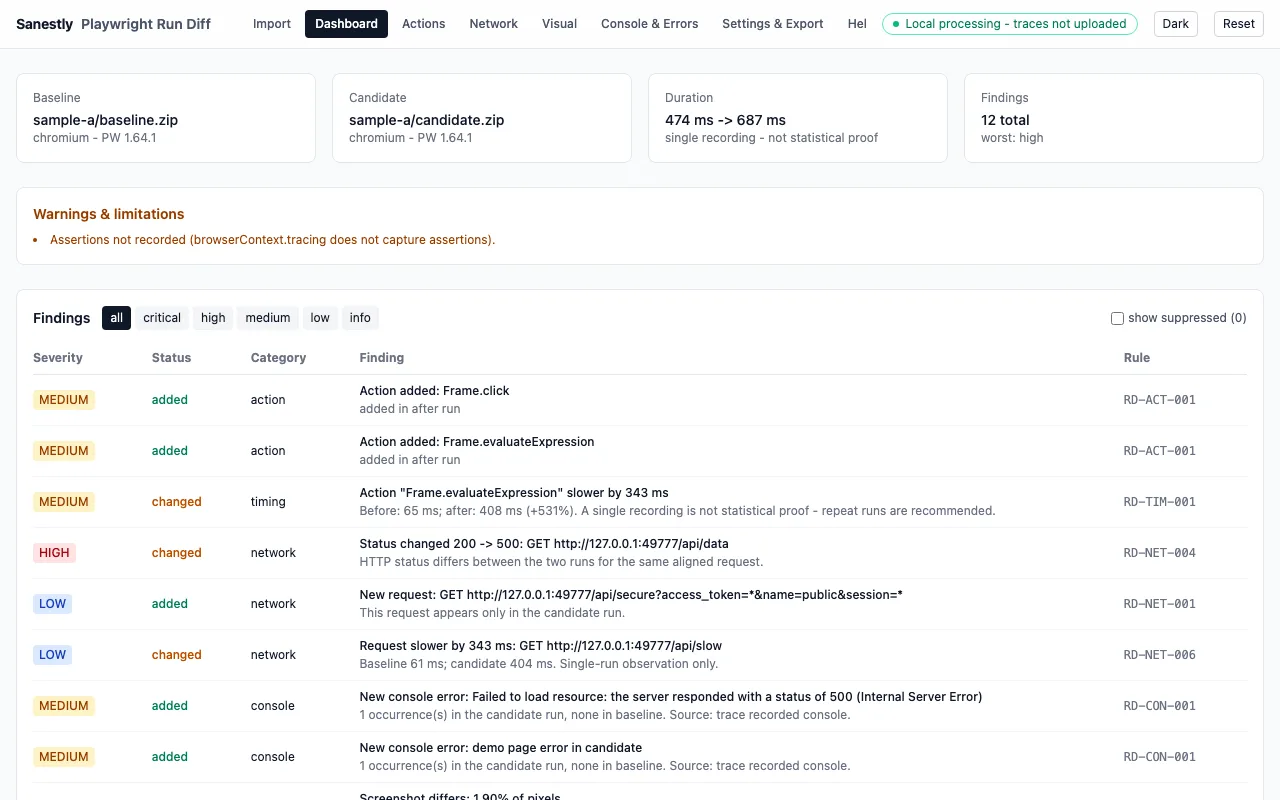
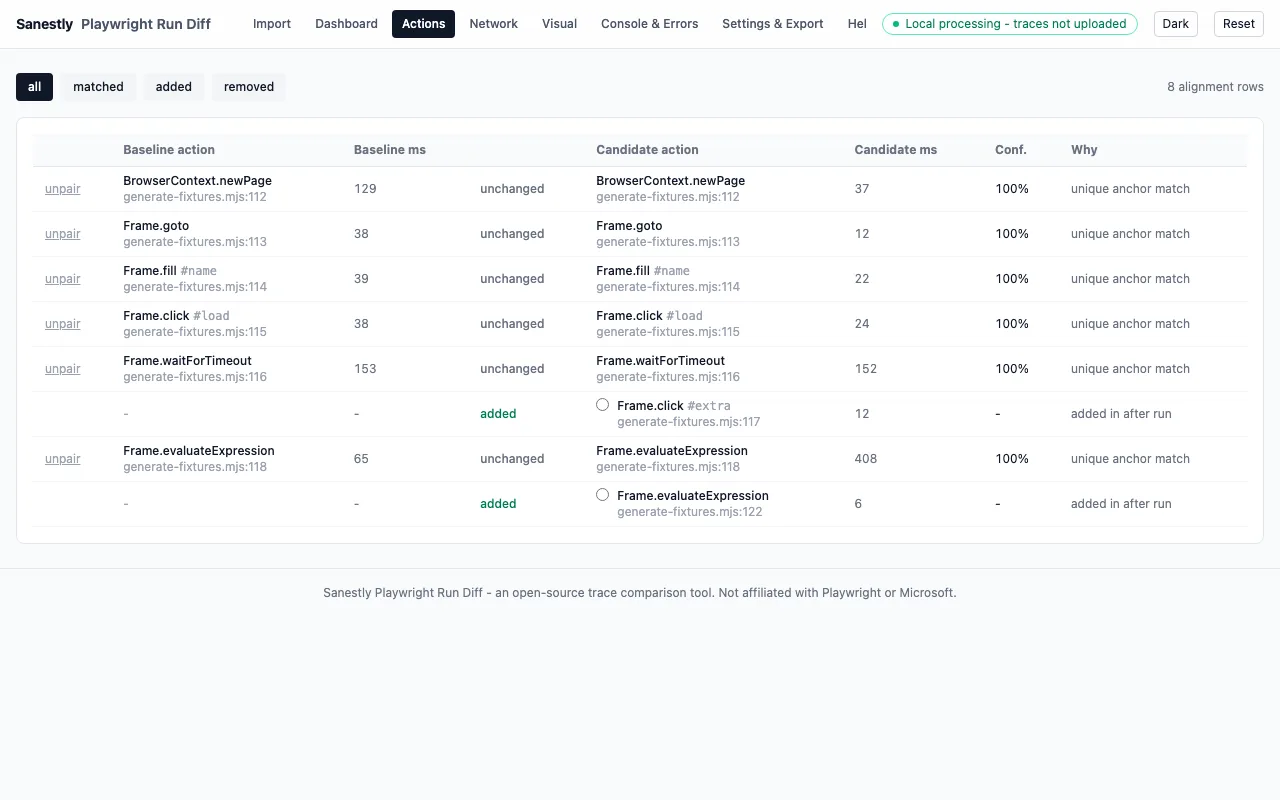
Given two Playwright trace.zip archives (a baseline and a candidate), a diff tool aligns the actions and surfaces:
- Added or removed steps - a call that exists in one run but not the other.
- Timing regressions - the same action taking meaningfully longer, past thresholds you set.
- Network changes - requests added, removed, or flipping status (200 → 500).
- Console errors - new errors that appeared between runs.
- Visual differences - screenshot diffs per action where pixel changes matter.
When to use it
- After a dependency bump - playwright/browser/library upgrades that "should not change anything".
- Flaky-test archaeology - comparing a passing run to the failing run of the same test finds the first divergence.
- Release validation - run the suite on staging vs production, diff the traces, catch behavioral changes before users do.
Workflow
- Record traces:
npx playwright test --trace on(oron-first-retryon CI) - save the.zipper run. - Compare two runs - in the browser with Run Diff (nothing is uploaded; all local) or via CLI:
npx @sanestly/run-diff compare before.zip after.zip --format html,json,md. - Read the diff top-down: the first divergence is usually the cause; later diffs are its symptoms.
Notes
- Compare runs of the same test; action alignment across different tests is noise.
- Set timing thresholds before trusting timing diffs - CI variance creates false positives otherwise.
- Sanitized report exports strip credentials and tokens before sharing - safe to attach to a bug report.