
WooCommerce minimum order amount: 3 ways to enforce it
WooCommerce has no built-in minimum order amount. If you want a rule like "orders under €25 cannot check out", you add it yourself - with a code snippet, a dedicated plugin, or by hiding payment and shipping options instead.
This guide compares the three approaches and covers the edge cases that break naive setups.
First decide what "minimum" you actually need
Four different problems share one search query:
| You want | What it is called | Typical use |
|---|---|---|
| Cart total must reach a sum | Minimum order amount / value | Delivery fees, small-order economics |
| Cart must contain N items | Minimum item count | Wholesale, bundle requirements |
| Each product needs N+ units | Minimum quantity per product | Pack sizes, wholesale lines |
| A category must reach a total | Category minimum | Mixed baskets, department rules |
A minimum order value answers "is this order worth fulfilling?". A minimum order quantity answers "did they buy enough of this line?". They look similar and solve different problems - a €25 minimum does nothing for a store that needs customers to buy in packs of six.
A code snippet usually solves only the first one cleanly. If you need two or more, plan for a rules system from the start.
Maximum limits are the mirror image - "no single customer can order more than 500 units" protects stock from resellers, and "no more than 3 of this SKU" enforces promo limits. Everything below applies to both directions; only the comparison flips.
Method 1: a code snippet (fast, fragile)
A short function in your theme's functions.php (or a code-snippets plugin) can block checkout when the subtotal is too low:
add_action( 'woocommerce_check_cart_items', function () {
	$minimum = 25; // your currency's base units
	if ( WC()->cart && WC()->cart->get_subtotal() < $minimum ) {
		wc_add_notice( sprintf( 'Minimum order is %s.', wc_price( $minimum ) ), 'error' );
	}
} );
This works in minutes and costs nothing. Tested on current WooCommerce - woocommerce_check_cart_items fires on the cart and checkout pages, so the error notice appears before the customer can pay. Prefer a code-snippets plugin over editing functions.php directly, so a theme update cannot silently remove the rule.
It is also where most stores stop thinking, so know the limits:
- No per-category rules. The snippet sees one number. "Cheese orders need a €40 minimum but everything else is fine" requires real cart inspection.
- No per-role exceptions. Wholesale customers with a higher minimum, or staff who bypass the rule, need extra code each.
- No early warning. The customer finds out at the cart page at the earliest. There is no product-page hint before they build a doomed basket.
- A surprising subtotal definition.
get_subtotal()counts item prices in a way that surprises many stores - a coupon can drop the payable total below the minimum while the rule still passes (see edge cases below). - It rots silently. Theme updates overwrite
functions.php, and the next developer may not know the rule exists. Snippets fail quietly - the checkout just starts accepting small orders again one day.
Use the snippet when the rule is one number, store-wide, and unlikely to change. The moment the business adds a second rule, migrate.
Method 2: a rules plugin (the usual right answer)
A dedicated plugin lets you define the rule once and enforce it consistently - cart page, checkout, and ideally a notice on the product page before the customer wastes a trip. For any WooCommerce minimum order amount that a human will ever need to edit, this is the practical choice.
What to check before choosing one:
- Scope: cart vs product vs category. Cart-wide rules and per-product/per-category rules are different features; many plugins only do one. If you might ever need "minimum 6 bottles in the wine category", check that specific capability now.
- Where it enforces. Blocking at checkout alone is late - the customer has already invested. A notice on the cart page is better UX; a hint near the quantity selector on the product page is better still.
- Metric clarity. Does the rule measure the subtotal before or after discounts? Does it include shipping or tax? Good plugins make the definition an explicit setting; bad ones bury it.
- Guest and role handling. Wholesale minimums usually apply per user role. Check whether rules can target roles, and what guests see - often a different minimum or none at all.
- Message quality. The notice should state the gap in money ("You are €4.20 below the €25 minimum"), not just "minimum not met". A quantified message converts; a vague one abandons carts.
- Checkout still blocks. Whatever softens the rule earlier, the checkout itself must refuse the order - otherwise the plugin is decorative.
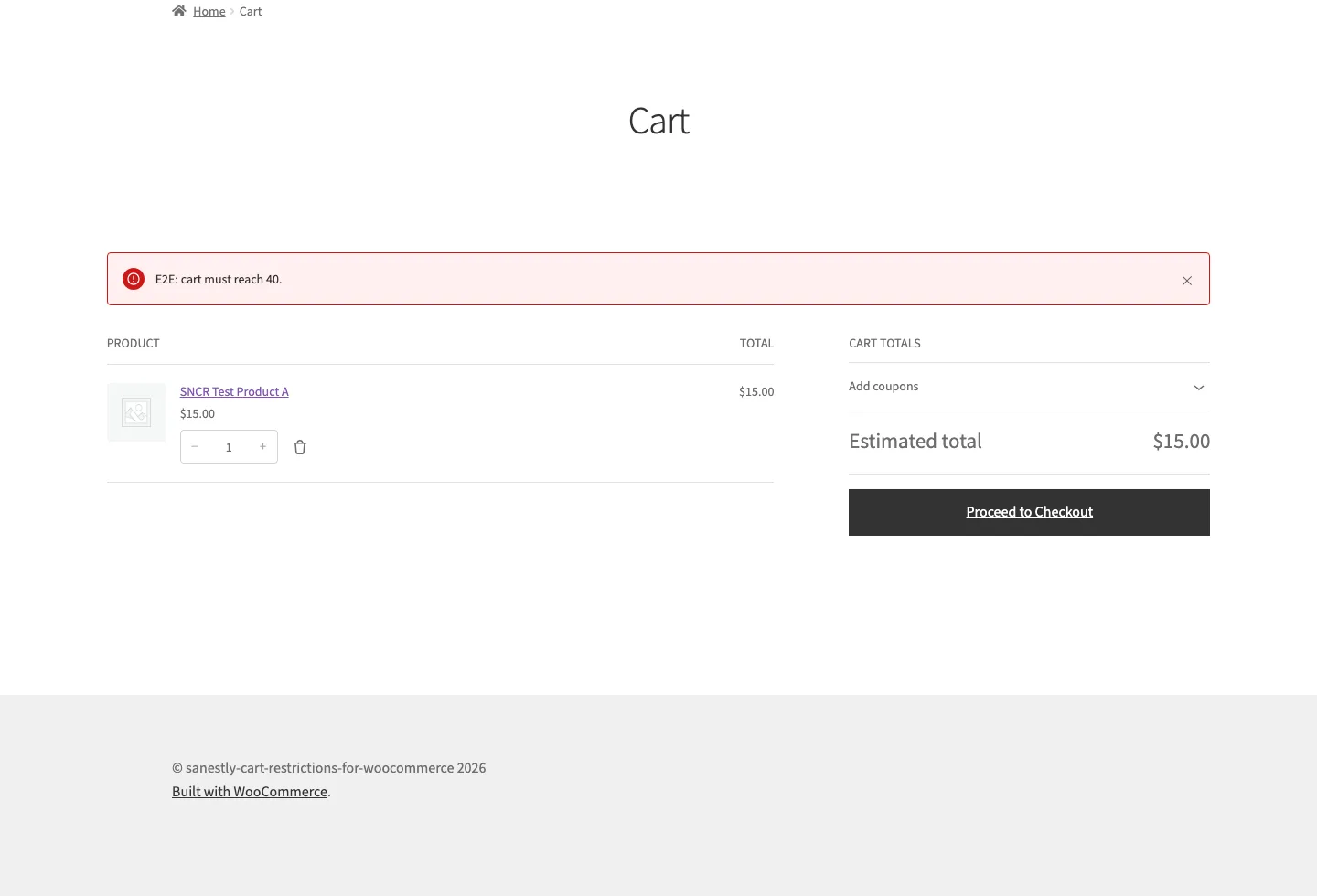
Our Cart Restrictions plugin covers cart-wide and per-product/category minimums and maximums with customer-facing notices, if you want an off-the-shelf option.
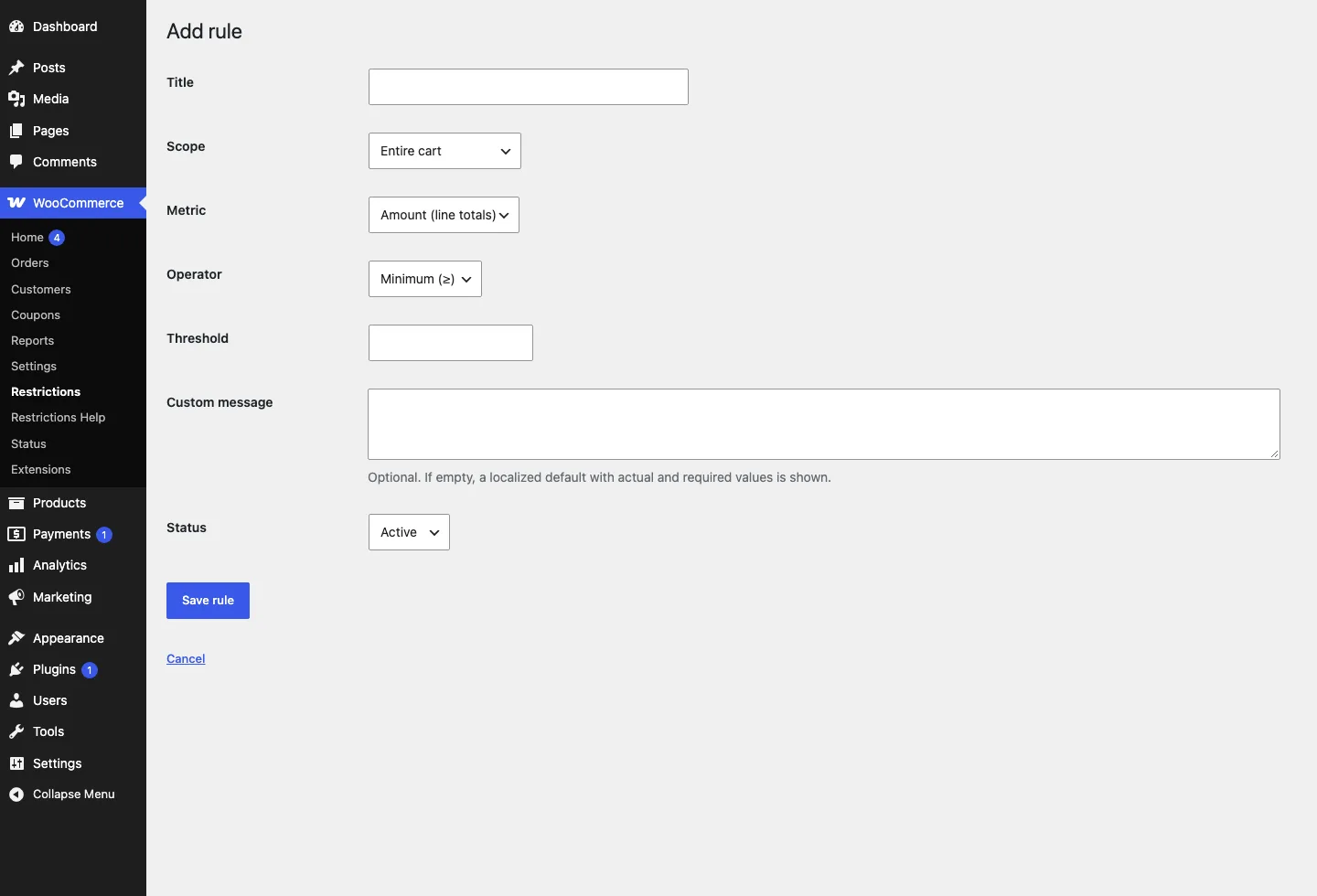
Method 3: hide the way forward instead
A softer alternative: instead of blocking the order, hide the options that make small orders unprofitable.
Examples that work without touching checkout:
- Gate free shipping on the threshold. "Free shipping over €25" prices the small order correctly instead of forbidding it - many customers add an item rather than leave.
- Hide expensive payment methods on small carts. If cash on delivery costs you €3 in fees, hide it under €30 rather than banning small orders outright.
- Add a small-order fee instead of a minimum. A €2 handling fee under €20 keeps the sale and covers the cost.
WooCommerce shipping zones support minimum-amount conditions for some methods, and several plugins add payment-gateway conditions. WooCommerce cart restrictions like these guide rather than forbid, which suits stores where a small order is merely undesirable, not impossible. It is also the friendlier option when the "minimum" is really an economics problem rather than a policy: customers meet thresholds voluntarily far more often than they accept blocks.
The three methods are not exclusive. A common combination: free-shipping threshold to encourage, small-order fee to compensate, and a hard minimum only where small orders genuinely cannot work - local delivery zones, for example.
Edge cases that bite stores
- Before or after discounts? Decide whether the minimum applies to the subtotal or the discounted total, and make sure your tool does the one you expect. A coupon that drops the cart under the minimum is the classic surprise: the customer had €26, applied a 10% code, and now sees a "minimum order" error caused by your own discount. Either evaluate the discounted total, or block coupons that would break the minimum - pick deliberately.
- Tax and shipping definitions. Should the €25 minimum include tax and shipping, or goods only? Most stores mean "goods value" and should say so. Pick one definition, verify the tool uses it, and keep the notice text consistent with it.
- Mixed carts. Per-category rules interact oddly with a cart that mixes categories. If the wine category needs €40 and groceries need €25, both rules can match at once and double-block the cart. Test the combined case, not each rule alone.
- Wholesale and staff roles. A role-based minimum that also applies to your logged-in admin account will confuse your own test orders forever. Exclude admin and shop-manager roles explicitly.
- Currency and rounding. Multi-currency stores should set the rule in the shop's base currency and let the gateway convert - otherwise a €25 minimum becomes "€24.87" after a rounding step and customers hover one cent under.
FAQ
Does WooCommerce have a built-in minimum order amount? No. You need a code snippet, a rules plugin, or conditional shipping/payment settings.
Can I set a minimum per product category? Not with a basic snippet - you need a rules plugin or custom logic that inspects the cart contents per category.
Can wholesale customers have a different minimum? Yes, with role-based rules. Both code and plugin approaches can check the user role before enforcing.
Can I set a minimum quantity instead of an amount?
Yes - same decision path. A snippet can count items (WC()->cart->get_cart_contents_count()), and rules plugins treat quantity as a first-class metric.
Does the minimum order amount include shipping? Usually no - it should mean the goods value. Whatever your tool does, keep the customer-facing notice consistent with the actual definition.
Will a minimum hurt conversion? A clearly stated minimum with a "you are €X away" message usually shifts baskets up rather than losing them. A vague error at checkout loses them. The message matters more than the rule.
Can I set a maximum instead of a minimum? Yes - the same three methods apply. Rules plugins treat minimum and maximum as the same rule with the operator flipped, which is how wholesale stores enforce "at least 12, at most 500".
What if I only need it during a sale or season? Use a method you can toggle. A rules plugin switches off in one click; a snippet needs someone to remember the code exists.