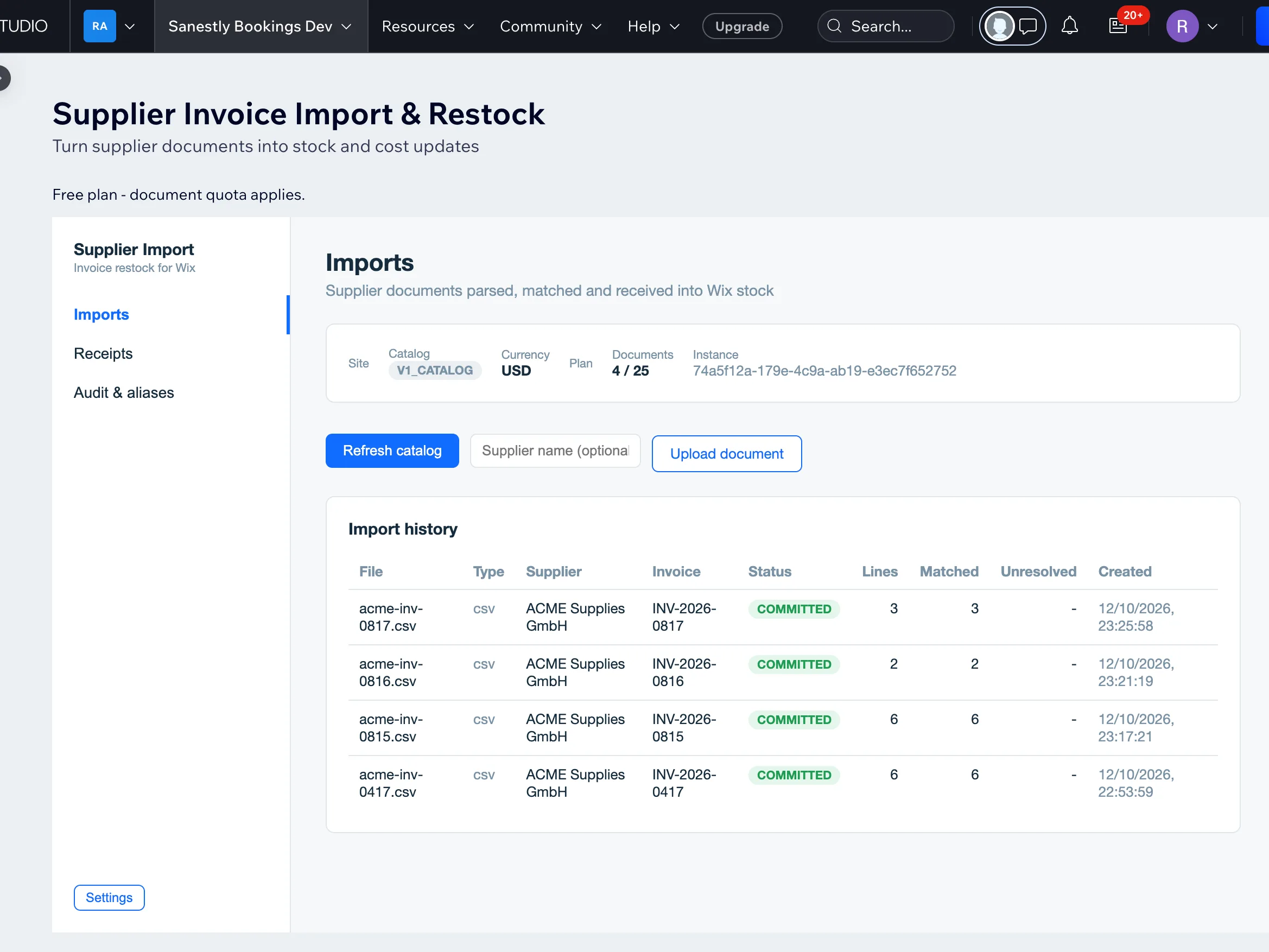
Supplier invoices and restocking on a Wix store
Restocking usually lives in email: the supplier sends an invoice, someone pays it, a box arrives, and "did we get everything we ordered" gets answered by whoever opened the box. A supplier-invoice workflow turns that into a record: what you ordered, what arrived, and what it cost.
The flow that works
- The order - what you asked the supplier for, with quantities and expected cost.
- The invoice - the supplier's bill attached to that order: number, date, amount, file.
- The delivery - what actually arrived: partial, complete, or with substitutions, noted per line.
- The restock - received quantities pushed into your catalog stock so the site sells what is actually on the shelf.
Each step is a record. When a supplier bills for 50 and ships 42, the invoice and the delivery disagree in writing instead of in memory.
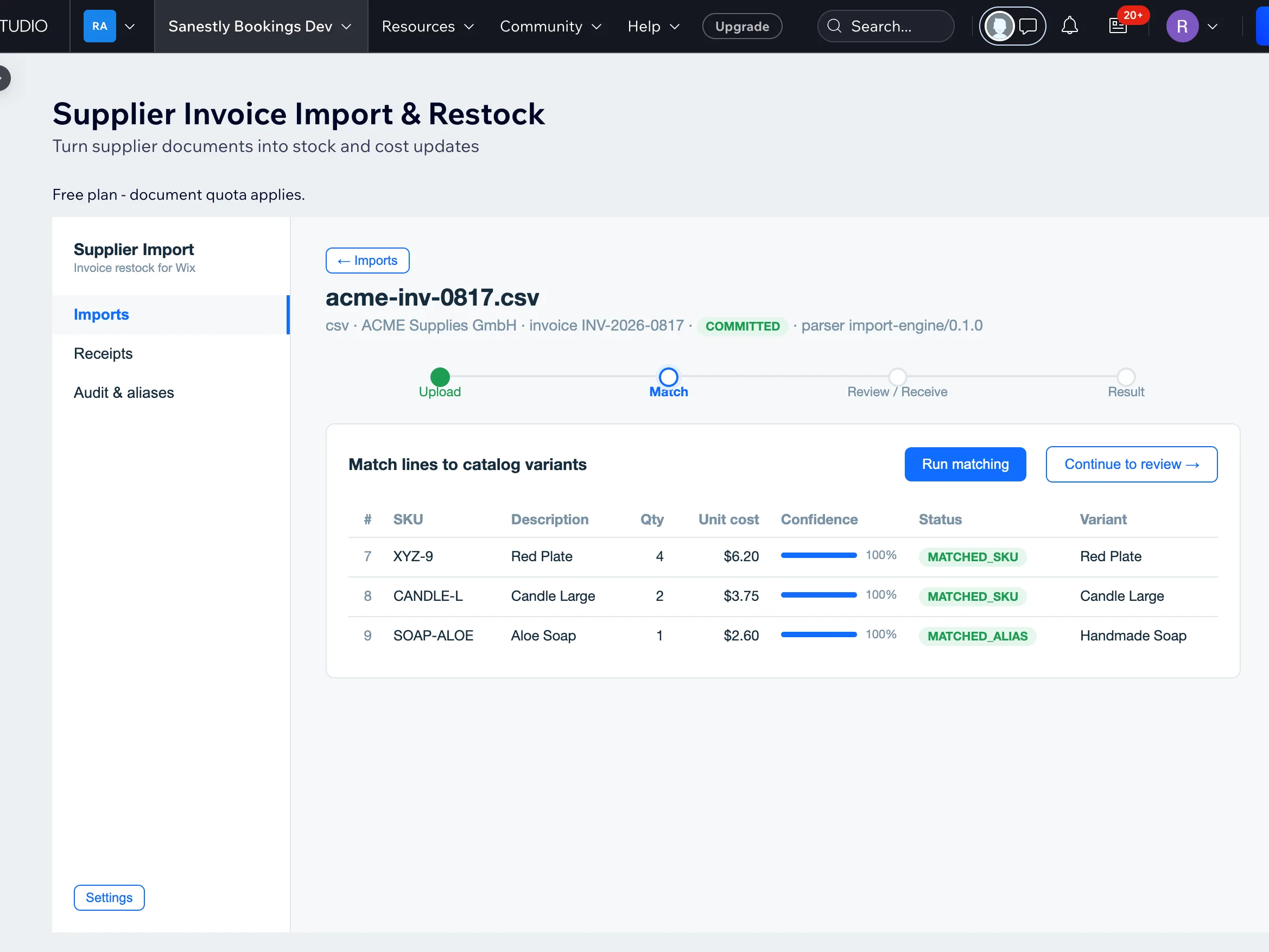
What you can answer with records instead of memory
- Cost history per product - what your last three deliveries of this SKU actually cost.
- Supplier reliability - who ships complete, on time, with fewest substitutions.
- Stock accuracy - restocks land in inventory when they happen, not at the next manual count.
Common mistakes
- Recording the invoice but not the delivery - "invoiced" and "received" are different facts; most shrinkage hides between them.
- Stock edited by hand without a restock record - inventory drift that nobody can trace later.
- Partial deliveries with no per-line tracking - a 3-line order becomes "shipped/not shipped" and the missing line is forgotten.
Supplier Invoice & Restock implements this on Wix: record supplier invoices, log deliveries against them, and track restocks tied to your catalog - without leaving the dashboard.