Local delivery management for a Wix store
Wix shops and restaurants doing their own delivery usually run it on chat messages and memory: the order list is in Wix, the driver queue is in someone's head, and "where is my order" goes to WhatsApp. A delivery-ops setup moves the whole flow into one board.
The pieces of a delivery workflow
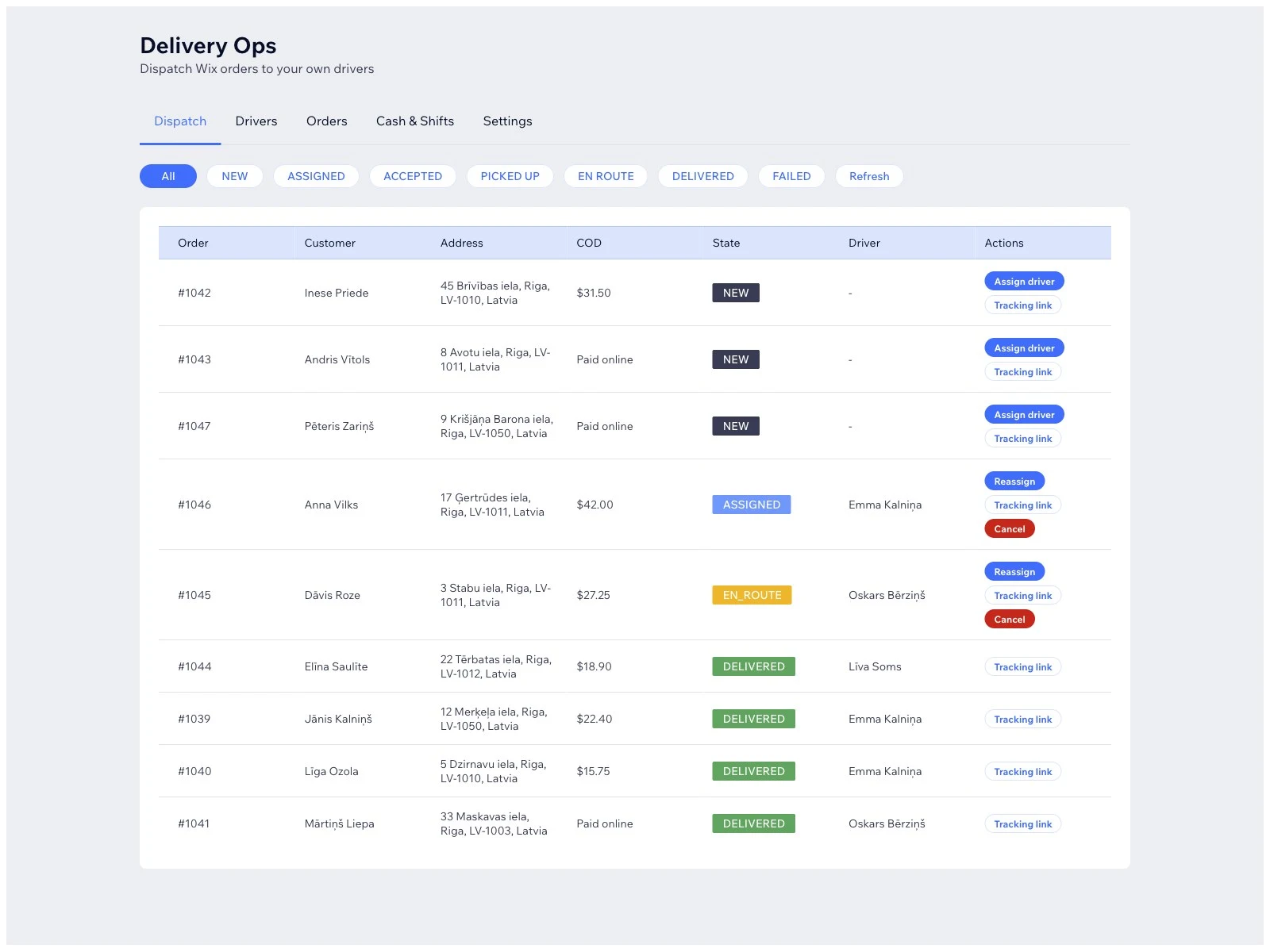
- Order queue - new orders land in one list with delivery address, items, and timing.
- Assignment - each order goes to a driver or courier; one glance shows who has what.
- Statuses - accepted, on route, delivered, failed - each transition visible to staff and ideally to the customer.
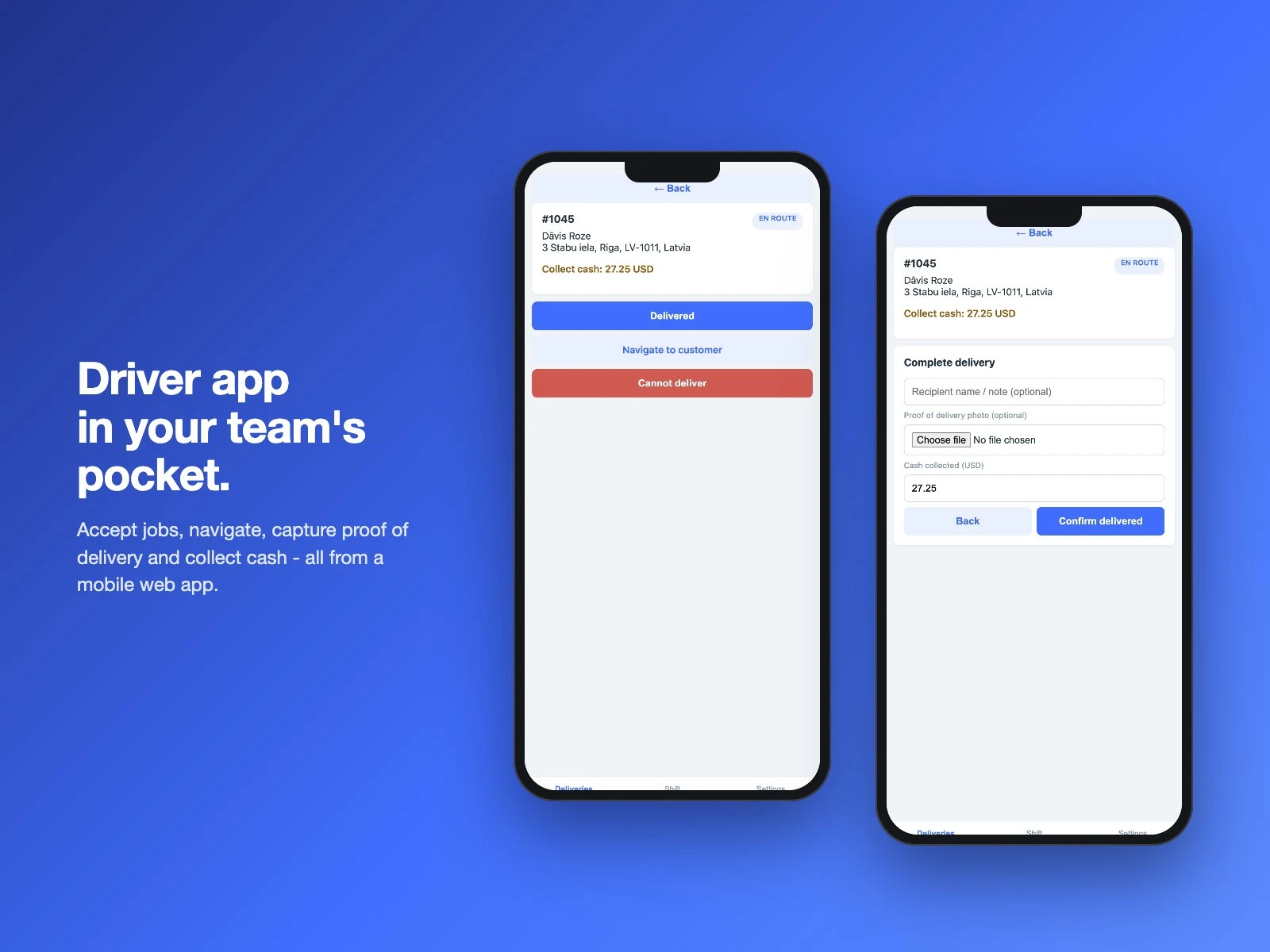
- Driver view - the courier sees today's route on a phone: address, contact, notes, mark-delivered.
- Proof and issues - delivery notes, failed-attempt records, and a history when a customer disputes.
Why a board beats forwarding
Forwarding order emails to a driver loses the structure: no status, no queue, no proof. A shared sheet is better but still manual - nobody updates it on a bicycle. A delivery board ties the driver action back to the order automatically, so the status your staff sees is always the real one.
Getting started on Wix
- Define your statuses first - keep them few: queued, on route, delivered, failed covers most stores.
- Decide who "drivers" are - staff accounts or external couriers with a phone-only view.
- Set the customer-visible part: at minimum, an "out for delivery" email or status page; SMS/WhatsApp notifications if you want them.
Common mistakes
- Too many statuses - "preparing, packed, dispatched, near, arriving" confuses more than it informs.
- No failed-delivery path - the first undelivered order exposes a missing status and a missing note field.
- Customer left blind - the top complaint in local delivery is silence; even a manual "on route" message beats nothing.
Delivery Ops implements this flow for Wix: order queue, driver assignment, status tracking and a driver-facing mobile view, inside your Wix dashboard.