
How to tell if your WooCommerce coupons actually make money
WooCommerce can tell you how many times a coupon was used. It cannot tell you whether the campaign behind it made or lost money - because a coupon is a code, while a campaign is a question: "was that promotion worth the discount?"
The unit you actually need: the campaign
A single coupon code says nothing on its own. Grouped into a campaign - "Black Friday 2025", "influencer Anna", "exit-intent popup" - the numbers start answering questions:
- Orders - how many sales the campaign touched.
- Discount given - what those orders cost you in markdowns.
- Refunds - revenue that came back; coupon campaigns attract return-prone buyers more often than you think.
- Net revenue - orders minus discounts minus refunds. This is the number that decides whether the campaign repeats.
A code can show strong usage while its campaign quietly loses money on refunds and deep discounts.
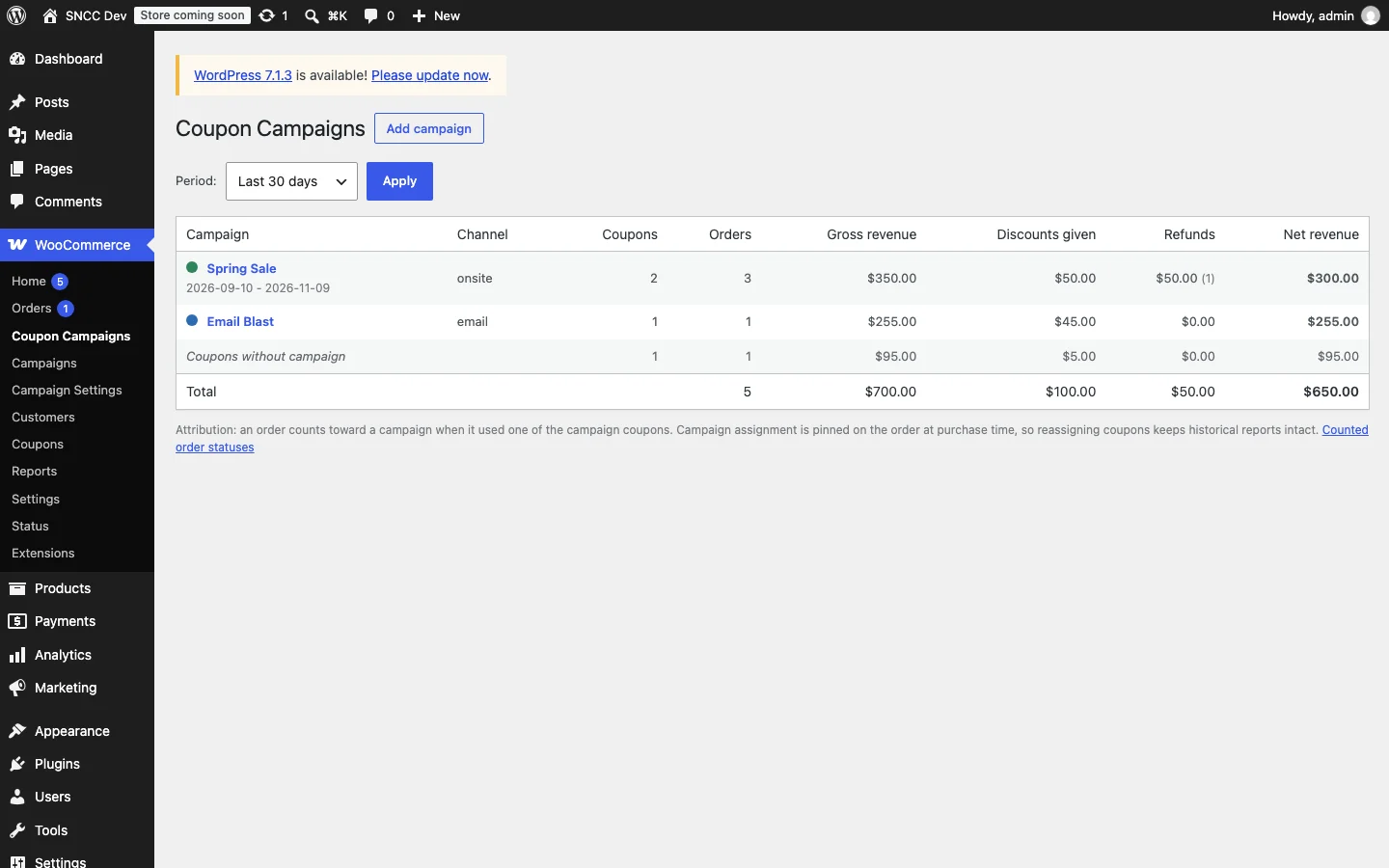
Questions a campaign report answers
- Which channel's coupons convert to profitable orders, not just orders? An influencer code with a 25% discount can bring volume at negative margin.
- Do discounted orders stay below your regular AOV, or does the coupon pull the basket up?
- Does a campaign eat its own tail - customers who would have paid full price using the code?
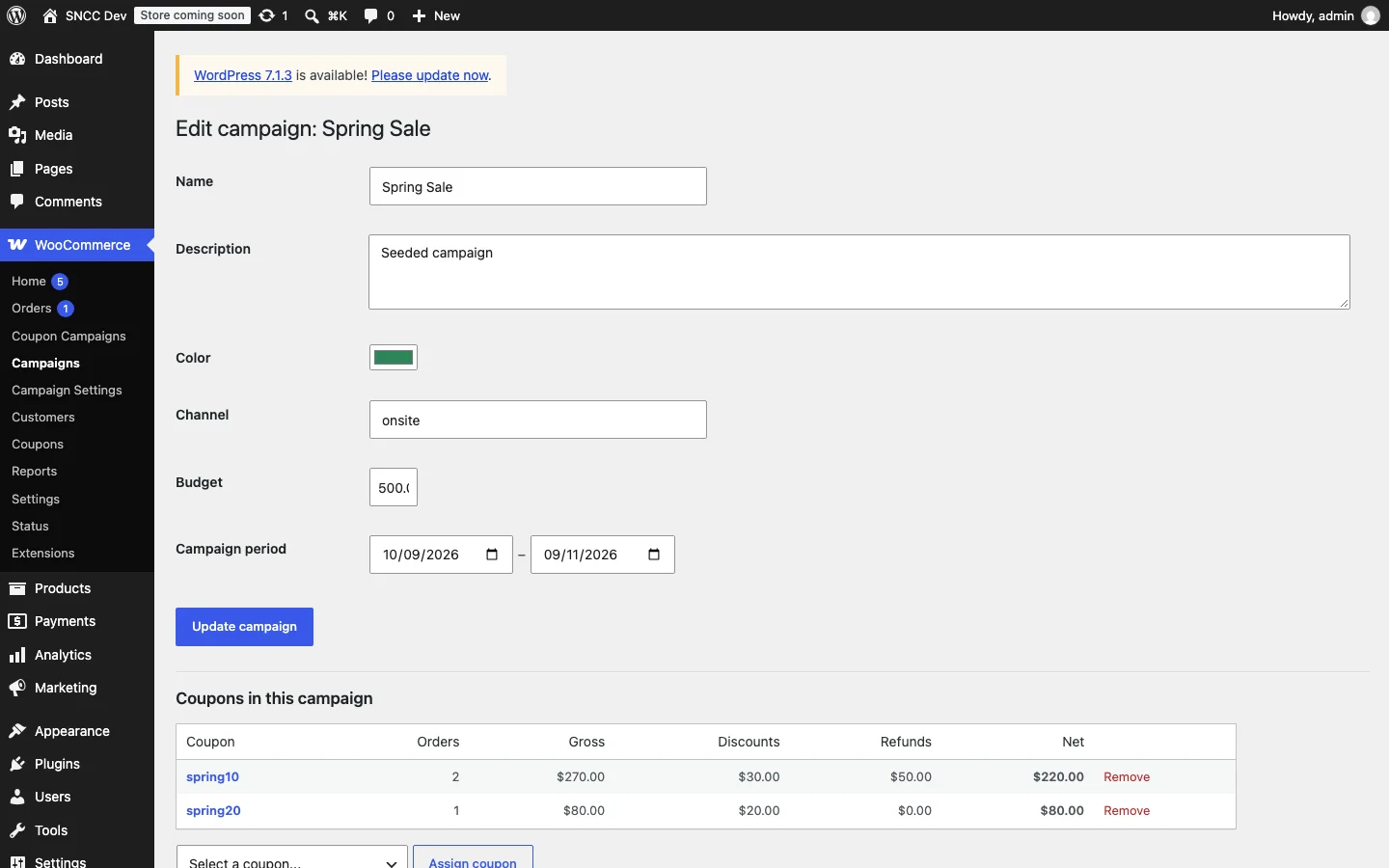
Setting it up
The workflow that works:
- Decide your campaigns before issuing codes - each gets its own prefix or naming rule ("BF25-", "anna-").
- Group existing coupons into campaigns - no need to recreate codes that are already live.
- Run the report monthly or after each campaign ends; compare campaigns on net revenue per order, not raw order count.
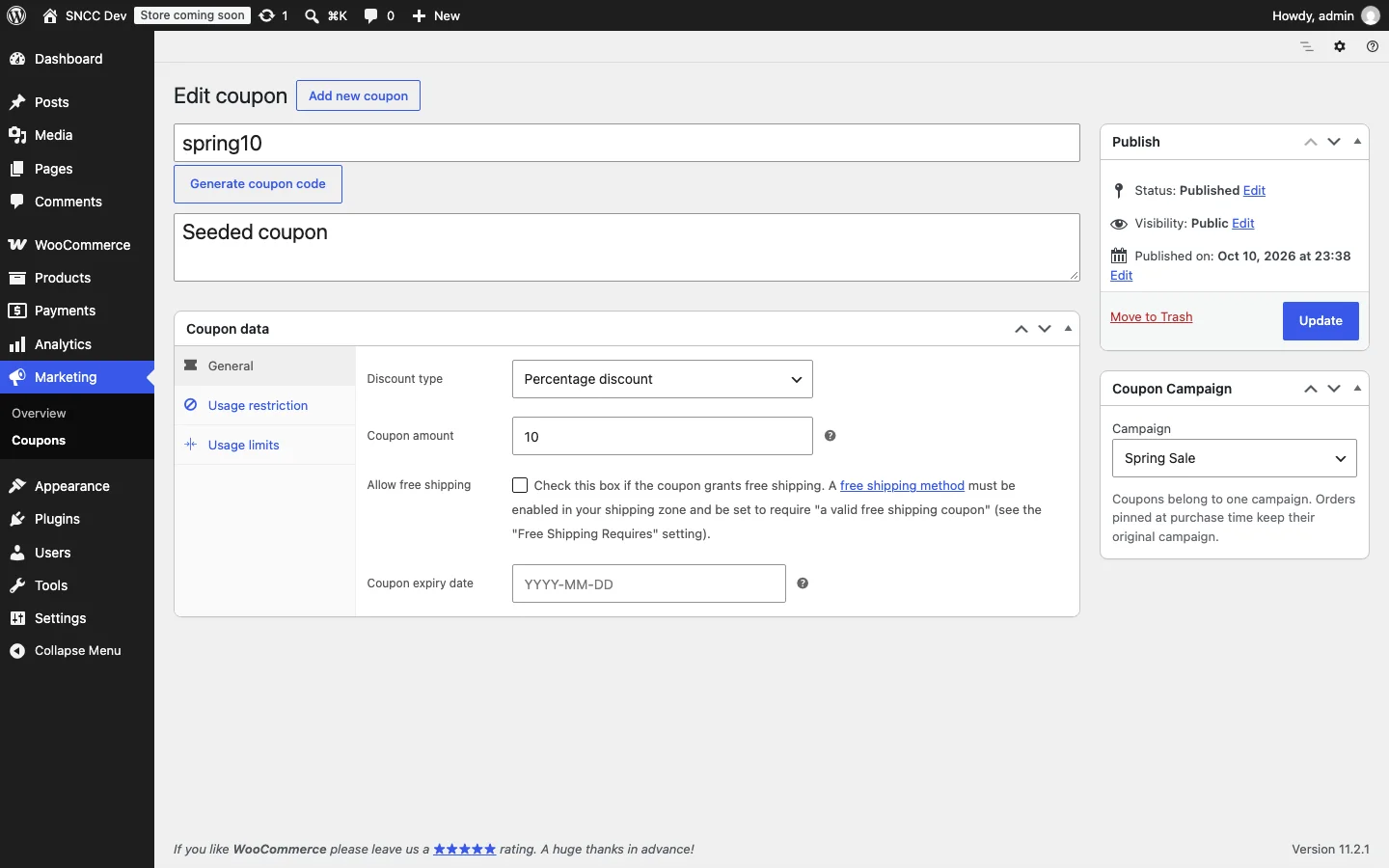
The metrics that mislead
- Usage count alone - a widely shared coupon can be your worst performer per order.
- Gross revenue without discounts - inflates every campaign.
- Ignoring refunds - promo-driven buyers return more; net revenue is the honest number.
Our Coupon Campaign Reports plugin does the grouping and math on your existing coupons: campaigns, orders, discounts, refunds, and net revenue per promotion - without changing how the codes work.