What a client portal is (and when a Wix site needs one)
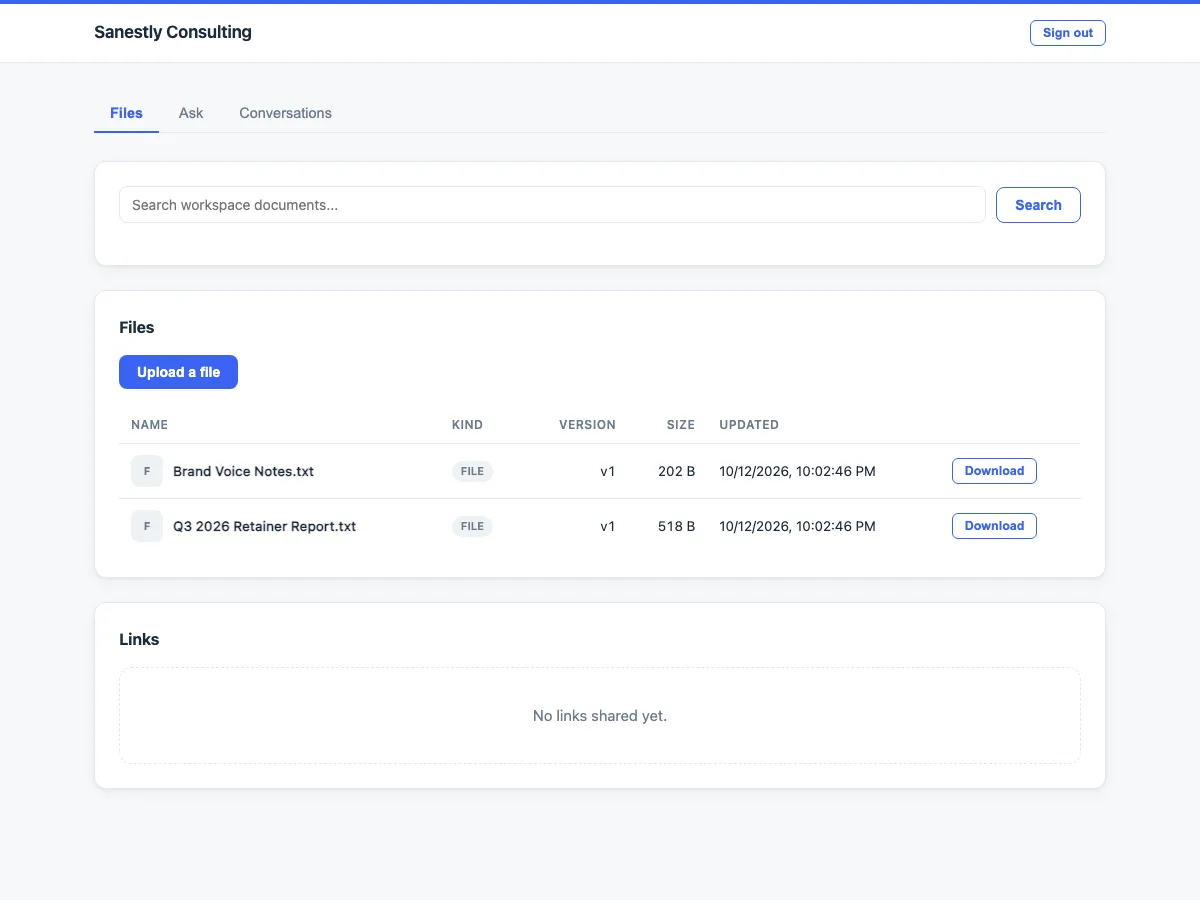
A client portal is a private area on your site where each customer sees their own stuff: their requests, documents, orders, or answers meant for them. It is not a public help center - it is "your account with us", without the email threads.
This guide explains what a portal does, when it pays off, and how it differs from the tools people confuse it with.
What a portal actually does
A working client portal usually combines three things:
- Requests with status. The client submits a question, repair claim, or task and sees where it is - received, in progress, answered - without asking you.
- Shared documents. Invoices, contracts, instructions, or files you want this specific client to see, not the whole internet.
- Answers in context. Replies and articles attached to the client's own items, so the conversation lives in one place instead of scattered inboxes.
The measurable win is fewer "what's the status?" emails. The quieter win is that answers accumulate instead of being re-sent.
Signs a Wix site needs one
A portal pays for itself when several of these are true:
- You answer the same status questions by email more than a few times a week.
- Clients ask for documents you already sent once (invoices, guides, specs).
- Your service has multi-step work a customer waits on - repairs, custom orders, approvals, bookings.
- More than one person handles client requests, so a shared queue beats a shared inbox.
If your whole client interaction is a single payment and a thank-you page, a portal is overkill. A good FAQ page covers that case.
Portal vs the tools it gets confused with
- Members area (Wix built-in): gives accounts and gated pages, but no request tracking or per-client content. It is the door; a portal is what is behind it.
- Public knowledge base / FAQ app: answers for everyone, nothing personal. A portal adds the per-client layer - their requests and documents.
- Shared inbox or helpdesk (external): works, but the client leaves your site, creates a separate login, and your brand disappears. A portal keeps them on your domain.
Some sites combine all three: public FAQ for strangers, members area for login, portal for actual client work.
Getting value from it
The pattern that works is boring but reliable: put status-bearing work in the portal (claims, orders, requests), keep a few evergreen documents per client type, and link to the portal from every transactional email you send. Clients learn the habit within a few interactions because the portal answers the question faster than you can type it.
If you run a Wix store or service business, Client Knowledge Portal implements exactly this structure: self-service requests, per-client documents, and a shared queue for your team - inside your Wix site.